

SAP Build Apps Key-Features

Intuitive low-code development for everyone
With SAP Build Apps, your students can develop appealing and responsive business applications without extensive programming knowledge. Our curriculum guides them step by step through the most important functions and enables a direct, practical introduction, ideal for beginners and advanced users alike.

Flexible data integration – internal & external
Whether it’s an internal database for simple applications or a connection to central SAP systems such as SAP S/4HANA, students learn how to seamlessly integrate different data sources and link their apps to real business data. This gives them immediate practical experience with both local and enterprise-wide systems.

Immediate deployment and seamless integration into the SAP landscape
With SAP Build Apps, applications can be deployed directly in the SAP Business Technology Platform and easily linked to existing SAP solutions such as SAP S/4HANA, SAP Fiori, or other cloud services. Thanks to preconfigured connectors and a unified environment, new apps can be quickly and securely integrated into an existing system landscape – without complex development projects.
SAP Build Apps in Your Teaching
SAP UCC provides access to the SAP BTP service SAP Build Apps (SBA), either as a sandbox or an exclusive learning environment.
The sandbox offers up to 50 student accounts and two instructor accounts and is shared worldwide with other academic institutions. This makes it ideal for demos and non-critical lectures. However, the use of this environment is not recommended for graded courses or research and co-innovation projects.
The exclusive learning environment is reserved specifically for individual academic institutions and offers 100 student accounts and two instructor accounts. In this environment, academic instructors can monitor and support their students’ projects. Students also have the opportunity to share their projects with fellow students within the same institution, which enhances collaboration and exchange.
Instructors have access to teaching materials such as ready-made presentations, case studies, and exercises that can be used in both teaching and research projects.
The entire curriculum is available in German and English.
Students learn how to set up and use SAP Build Apps on SAP BTP. The course guides them step by step through the local installation of SAP Desktop Agent and explains the most important functions of the cloud platform.
In this introduction, students learn about SAP Build Apps and the basic principles of low-code development, without any prior knowledge. They start by setting up an internal database and develop an application that maps typical business processes step by step. They experience firsthand how easy and intuitive it is to create applications with SAP Build Apps and gain a comprehensive insight into the most important functions.
Application of the four data manipulation methods (CRUD: Create, Read, Update, Delete):
- Create: Create a new product
- Read: Displaying a product list
- Update: Changing a product
- Delete: Deleting products
At the end of this module, your students will be able to independently develop their first applications with internal data storage using SAP Build Apps.
After completing the introductory case study, students deepen their knowledge and learn how to connect SAP Build Apps with external systems, specifically SAP S/4HANA.
In this case study, students implement an application that accesses a central SAP S/4HANA client (provided by SAP UCC Milwaukee) and reads business data such as sales orders. They discover how to integrate external data sources into their apps to create professional business applications.
Contents:
- Setting up the connection to the SAP S/4HANA system
- Creating a list to display sales orders
- Adding a page view
- Displaying order details
After completing this module, your students will be able to use SAP Build Apps to create powerful applications with direct connectivity to SAP S/4HANA.
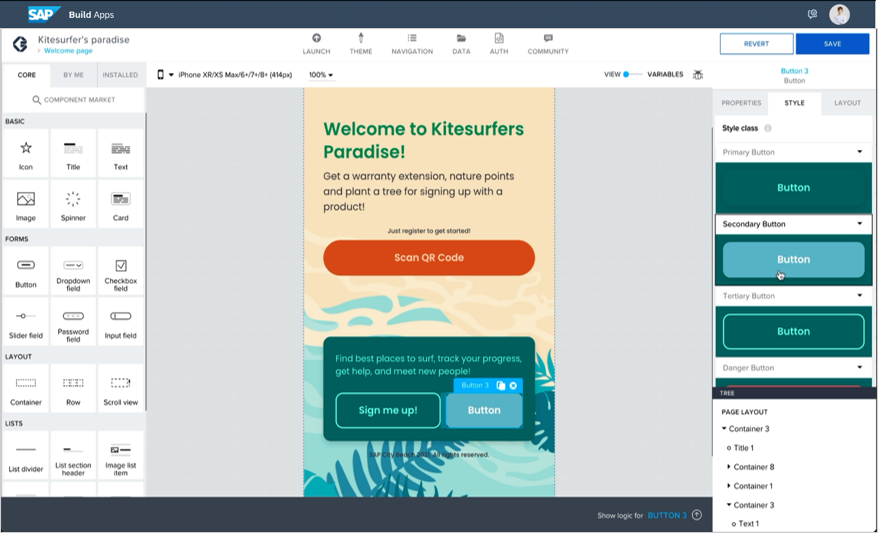
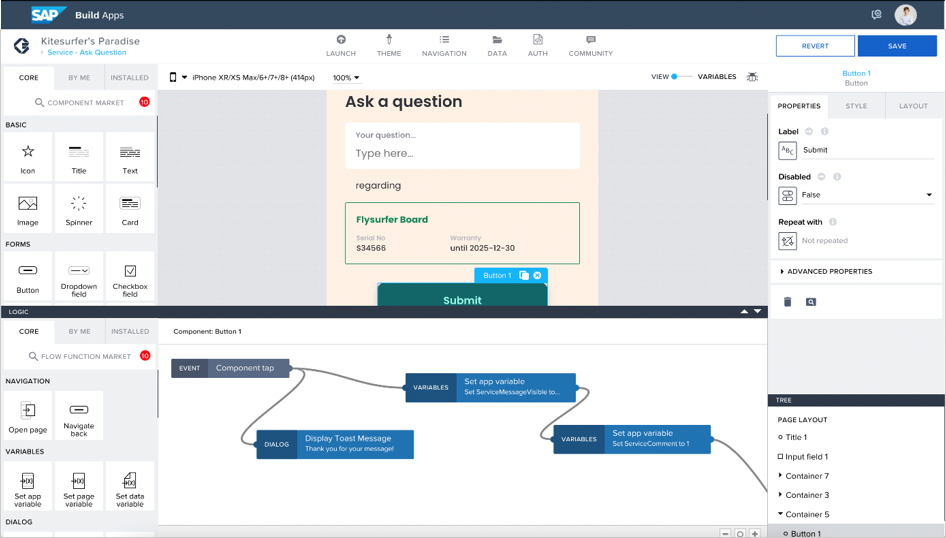
SAP Build Apps Frontend
Request a free sandbox now!
The SAP UCC offers academic teaching staff free sandbox access to SABP including teaching material. If you are interested and would like more information, click on the button to contact our customer service.
Please note: This offer is only available to academic teaching staff. Students should contact their teacher.
Das sagen die Dozierenden

How your Apprenticeship Continues
The SAP UCC Magdeburg offers you further practical curricula on current SAP solutions so that you can realise the full potential of your teaching and your students.